
Who left the agents running?
ai9s is a terminal UI for the AI coding sessions already on your machine. It indexes them locally, then lets you search, preview, filter, resume, and — where it is safe — delete them.
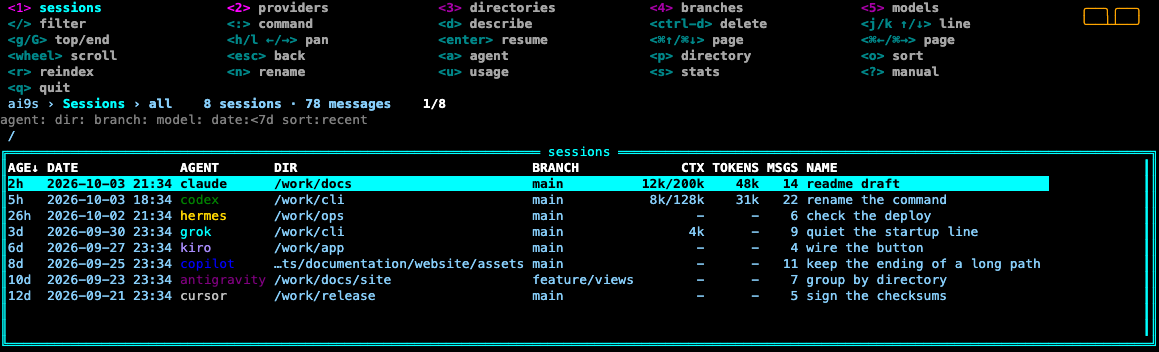
The list works like a cluster browser: a hotkey menu, a crumbs bar, and one framed table. d describes the selected row. Ctrl-D deletes. Colors and plugins live in a config file, the same way k9s does. Nothing is uploaded.
brew tap AymanZahran/ai9s https://github.com/AymanZahran/ai9s
brew trust aymanzahran/ai9s
brew install ai9s
Source and go install are on the install page. Building from source requires Go 1.25 or newer.
Features
- Sessions at your fingertips
- Claude, Codex, Copilot CLI, Grok, Antigravity, Gemini CLI, Cursor, OpenCode, Hermes, OpenClaw, Junie, Jules, Goose, Cline, Aider, and Kiro.
- The directory you start in
- A project directory lists sessions in that directory and its subdirectories. Your home directory lists every session.
- Keyboard first
- Hotkeys stay on the top row.
/edits the filter.:opens views and filter tokens.?opens a scrollable manual.
- Hotkeys stay on the top row.
- Five views
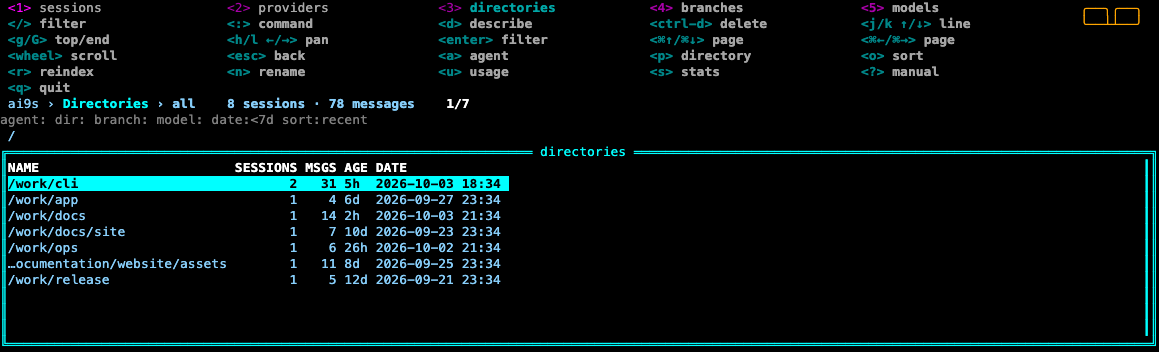
1through5switch sessions, providers, directories, branches, and models. Branches shows the git branch and the worktree. Enter on a group applies that filter.
- Preview you can actually read
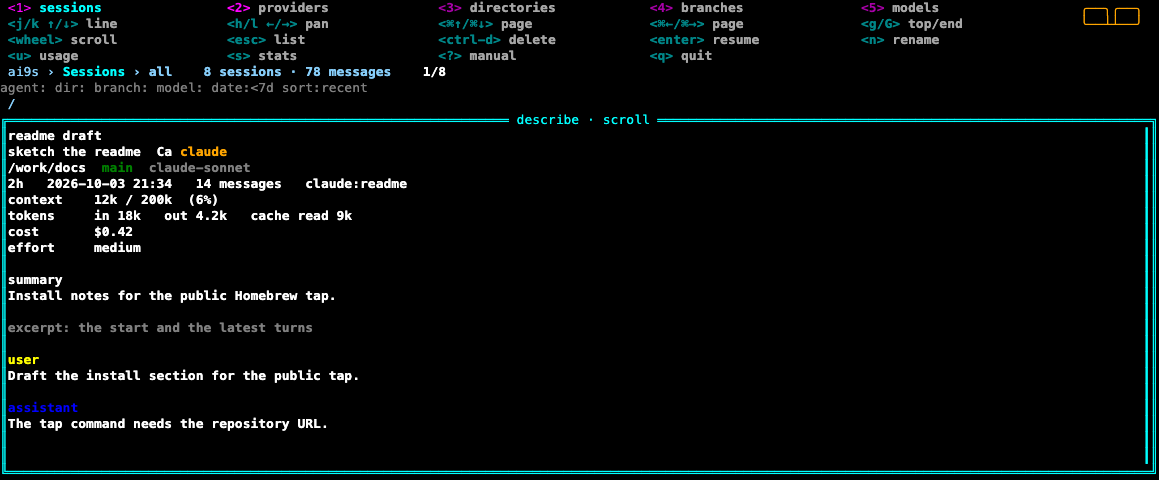
dreplaces the list with the excerpt.jandkscroll it. Esc returns to the list. Ctrl-D deletes.
- Resume in the original directory
- Enter runs that agent's own CLI.
--yoloadds an approval flag only when the agent documents one.
- Enter runs that agent's own CLI.
- Delete only when one file, one directory, or one CLI call is enough
- The preview says when a row cannot be deleted.
- A local index
- SQLite under your cache directory. Files are skipped when their modification time has not changed. One agent failing does not drop the others.
- Metadata when the agent recorded it
- Context size, window, tokens, cache, reasoning, cost, and premium requests. The CTX column is the latest prompt size, not a sum of every turn.
Documentation
- Installation — source,
go install, and the cache directory - Commands — index, search, show, resume, delete
- Keys — the list, the preview, and command mode
- Agents — where each session lives, and what delete removes
- Filters — agent, directory, branch, model, date, and sort
- Config — colors, skins, mouse, read-only, and plugins
- Contributing — tests, formatting, and how to add an agent
Preview
The real interface, drawn from example sessions.
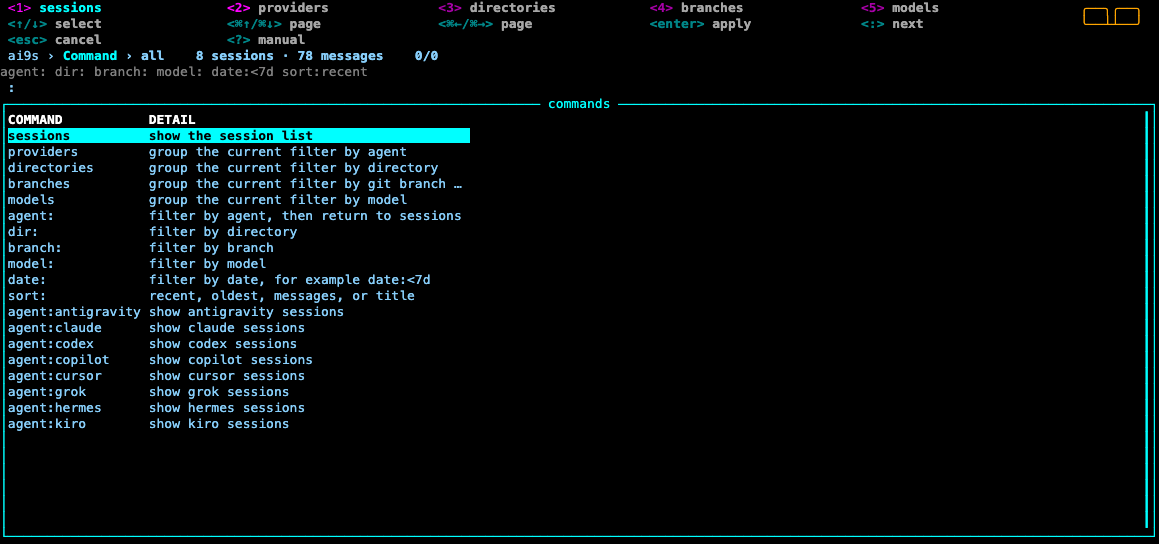
: opens it.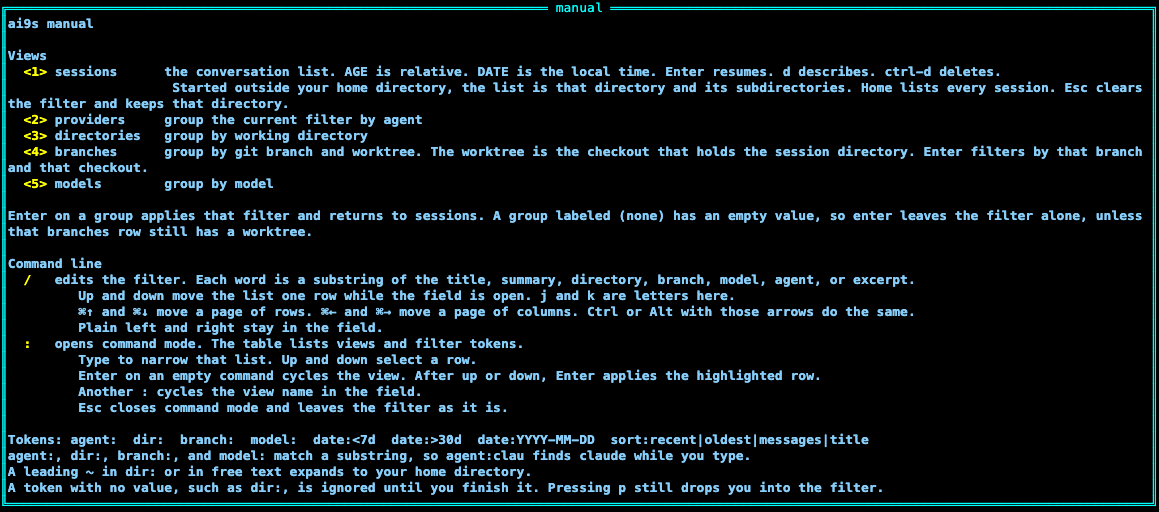
? opens it.
u opens it.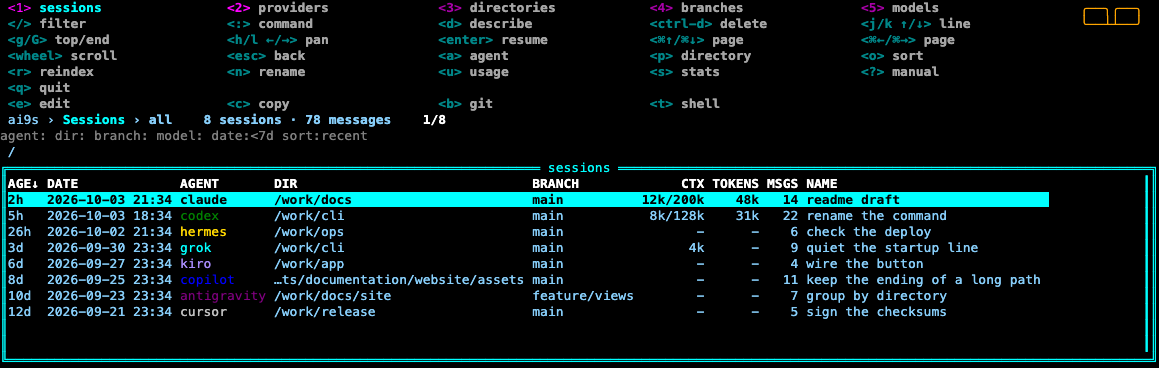
e, c, b, and t.Get in touch
- Repository
- Issues — leave transcripts, tokens, and credentials out of the report
- Contributing